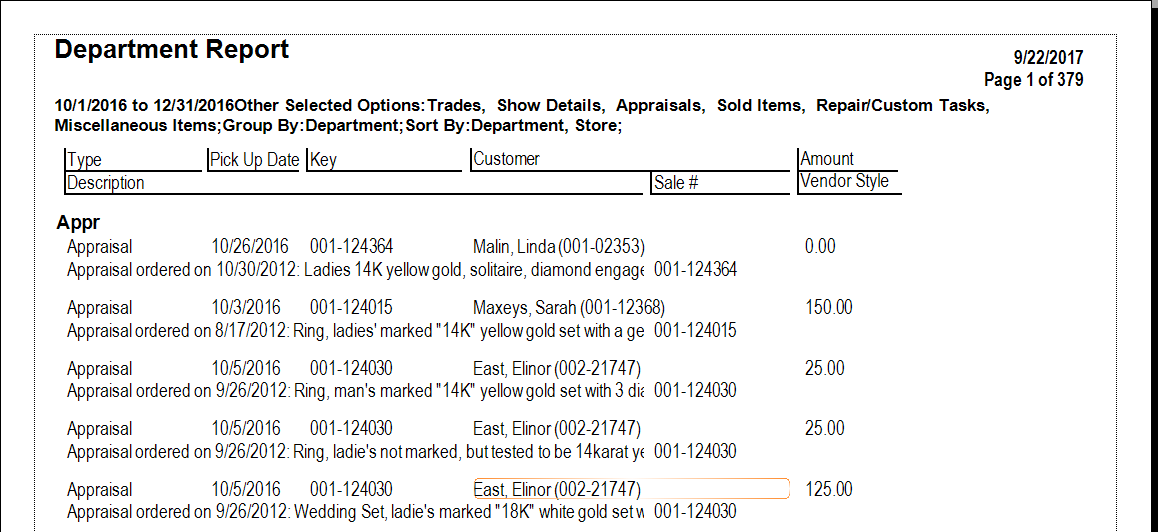
The By Department report contains a listing of activity by type: appraisals, trades, sold items, repairs, and miscellaneous. In the report filter, if you are working with trade-ins, there is an option to indicate whether the trades should be shown as negative or positive. For more about report filters and settings, see the section entitled Creating a Report.
Data fields in the By Department report include:
|
Type |
The type of activity: sale, repair, etc. |
|
Pickup Date |
Date of transaction for sales, for pickup for repairs and services. |
|
Key |
The item ID. |
|
Customer |
Customer name. |
|
Amount |
The amount of the transaction. |
|
Description |
A description of the item or activity. |
|
Sale # |
The ID number of the sales transaction. |
|
Vendor Style |
The vendor’s style number, if applicable. |