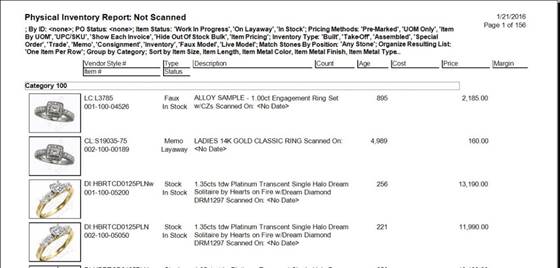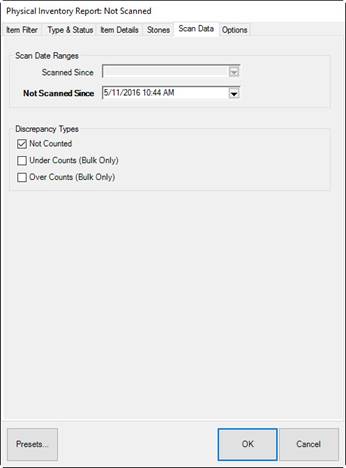
The Not Scanned report shows inventory that should be in inventory, but did not get scanned during the process. Most of the tabs match those found in the Item Find function and standard report options. The Scan Dates tab applies specifically to physical inventory activity.
Fields and options in the Scan Data tab include:
|
Scanned Since |
Not used in this report. |
|
|
Not Scanned Since |
Returns items that were not accounted for since the specified date. This only applies to fine items. For bulk items, The Edge will automatically use the current count. |
|
|
Not Counted |
Allows you to include discrepancies of items not scanned during physical inventory but records indicate they should have been. For bulk items, this reflects the quantity in-stock, but not counted. | |
|
Under Counts |
For bulk inventory, indicates that fewer were scanned than expected by The Edge. | |
|
Over Counts |
For bulk inventory, indicates that more were scanned than expected by The Edge. | |