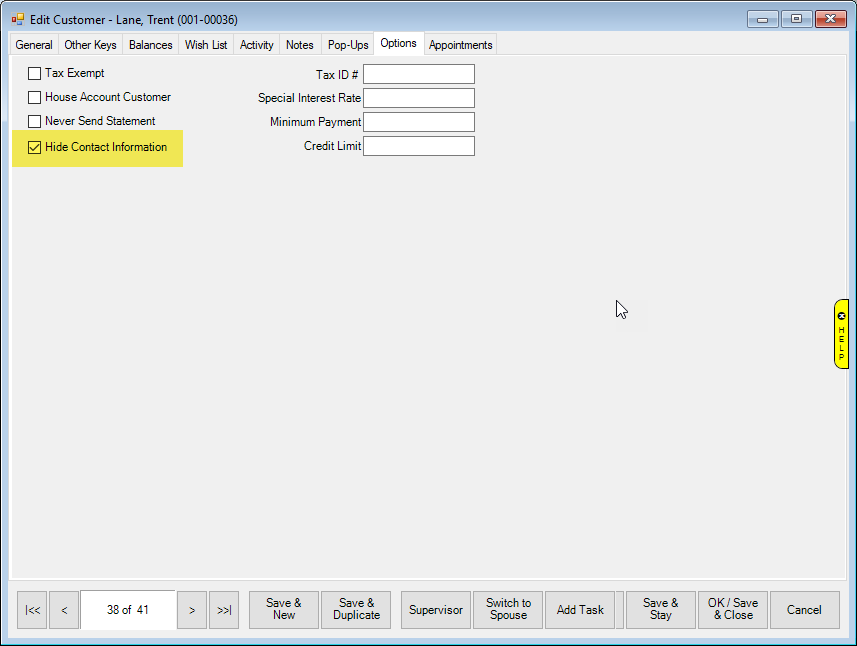
Once Associate Permissions have been set, you are ready to mark customers as hidden. To do so, you will need to pull up the customer record:
1. Go to Customer > Find – then use the Customer Filter to find your customer.
2. Visit the Options tab.
3. Check the box for “Hide Contact Information”.